
An HDR LED display is one that can accept a high dynamic range signal, read its metadata, and render it on a panel with enough bit depth, colour range and brightness headroom to show the difference. The label on its own proves little. Plenty of specification sheets list “HDR support” when what they describe is an input port, not the panel’s output. If you are specifying a wall for a control room, broadcast studio, showroom or boardroom, the question worth asking is not whether the display supports HDR, but which parts of the signal chain can actually carry it through.
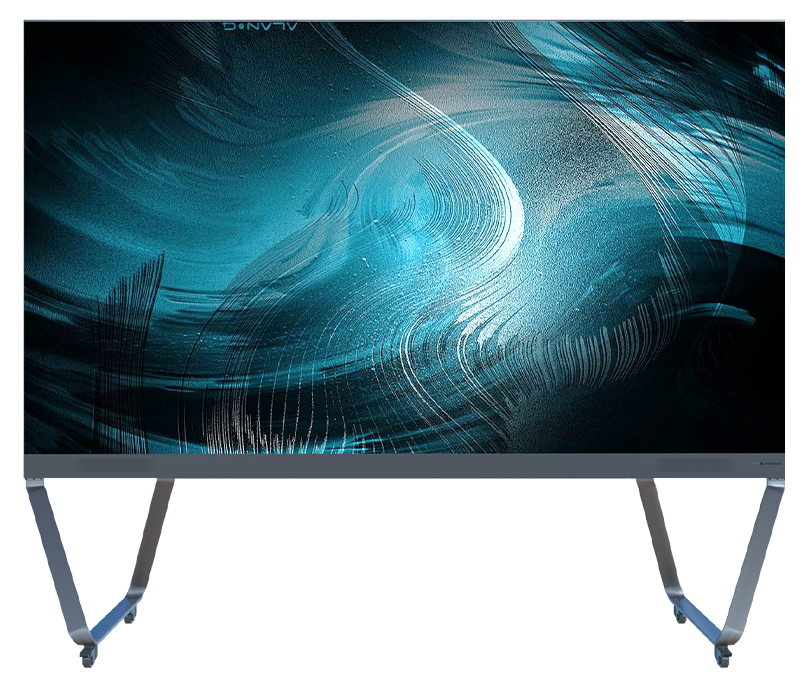
That distinction is what this article covers: what HDR changes on screen, where the chain usually breaks, and the four claims worth checking before you sign.
What HDR Changes on Screen
HDR is a set of standards rather than a single feature. The common ones are HDR10 (open standard, static metadata, 10-bit minimum), HLG (broadcast-friendly, backward compatible with SDR), HDR10+ and Dolby Vision (both dynamic metadata; Dolby Vision is proprietary and specifies 12-bit). What they share is a wider range between the darkest and brightest parts of an image.
| Punto | SDR | HDR |
| Bit depth | 8-bit, 16.7 million colours | 10-bit, about 1.07 billion colours |
| Colour space | Rec.709 | DCI-P3 / Rec.2020 target |
| Gradients | Banding shows in skies and shadows | Smoother transitions across the range |
| Highlights | Compressed into a narrow window | Rendered closer to the mastered level |
| Source | Most legacy signage content | Streaming, UHD Blu-ray, consoles, broadcast HLG |
The visible result is in the extremes: a sunset keeps its edge instead of clipping to white, and shadow detail stays readable instead of collapsing to black. That is what an HDR LED display is bought for — not a brighter picture overall, but a wider usable range within the same picture.
The Five Links in an HDR Chain
HDR degrades quietly. A single weak link turns the whole system back into SDR without any error message, which is why buyers end up disappointed by a screen that was sold as HDR.
- Source — the player, PC or media server must output HDR, with HDR enabled in its settings.
- Cable and bandwidth — HDMI 2.0a-class or DisplayPort 1.4 carries 4K HDR; an older cable silently negotiates down.
- Controller — must parse HDR10 or HLG metadata and tone-map to the wall’s measured peak brightness.
- Receiving cards and processing — must handle 10-bit through the pipeline, not truncate to 8-bit internally.
- Panel and calibration — needs the brightness headroom, black level and wide-gamut calibration to render what arrives.
Ask your integrator to demonstrate the chain end to end with your own content. A wall showing a supplier’s demo reel proves the demo reel works.
Four Spec-Sheet Claims Worth Checking
“High refresh rate means HDR.” It does not. A 3,840 Hz refresh rate addresses a different problem: flicker when the wall is filmed or photographed. It matters enormously on camera, and it has no bearing on dynamic range. Both numbers belong on the specification sheet of an HDR LED display, but they measure different things.
“HDR needs high brightness, so higher nits means more HDR.” Brightness headroom is necessary, not sufficient. HDR10 content is typically mastered at peaks of 1,000 to 4,000 nits, while indoor LED walls commonly run 600–1,500 nits — which is why tone mapping matters more than the peak figure alone. Peak brightness without controlled black level simply clips highlights instead of extending range. VESA’s DisplayHDR programme publishes tiered performance criteria if you want a reference point for how the industry grades this.
“HDR input, therefore HDR output.” This is the most common gap. A controller can accept an HDR10 signal and still output 8-bit to the cabinets to save cost. Ask specifically about internal processing depth and whether the receiving cards support 10-bit.
“HDR and 4K are the same upgrade.” They are independent. Resolution adds pixels; HDR changes what each pixel can represent. A 1080p HDR image often reads as a bigger step than 4K SDR — which is why the two should be budgeted separately.
Where HDR Earns Its Cost
An HDR LED display earns its cost where colour and contrast decisions are actually made or sold:
- Control rooms and broadcast — operators reading graded footage need the same range the footage was mastered in.
- Showrooms and flagship retail — product film and brand content carry far more impact with highlight and shadow range intact.
- Boardrooms and executive briefing centres — streaming platforms and modern laptops deliver HDR by default; an SDR wall discards it.
- Rental and stage walls on camera — matched gamma between wall and camera prevents blown highlights in the broadcast feed.
It matters less for text-heavy wayfinding, departure boards and daylight outdoor advertising, where ambient light compresses perceived contrast anyway. Paying for HDR there is usually money that would be better spent on brightness or service access.
Six Questions to Ask Before You Specify
- Which HDR formats does the controller decode — HDR10, HLG, HDR10+, Dolby Vision?
- What is the internal processing bit depth, and do the receiving cards pass 10-bit?
- What is the wall’s measured peak brightness after calibration, not the datasheet maximum?
- What black level does the panel reach at zero signal? This sets the usable dynamic range.
- Which colour space is the wall calibrated to, and is there a calibration report?
- Who tunes the tone mapping on site, and is that included in the project price?
Preguntas frecuentes
Does an LED wall need special content for HDR? Yes. HDR only shows when the source is HDR-mastered. If the content is SDR, no display setting can invent range that was never recorded.
Is HDR worth it for commercial signage? For brand film, product launches and broadcast environments, usually yes. For text and price boards, the benefit is hard to see and the budget is better spent elsewhere.
What brightness does an indoor HDR LED display need? Indoor walls commonly operate between 600 and 1,500 nits. What matters is the measured peak after calibration and how the controller maps content to it, not the datasheet number.
Does a 3,840 Hz refresh rate make a display HDR? No. Refresh rate controls flicker in camera capture; dynamic range is a separate capability. A wall can have one without the other.
Can HDR be added later? Partly. A controller upgrade can add metadata decoding, but bit depth and brightness headroom are decided by the panel and receiving cards at purchase.
Siguiente paso
CLT’s fixed installation range, including the H3 Series with pixel pitches from 0.9 mm to 1.8 mm, is specified with high refresh rate and HDR-capable processing for control room, broadcast and boardroom projects. Send your content source, viewing distance and whether the HDR LED display will be filmed — those three details decide the processor and the panel.